 ANIME
How to redeem codes in Anime Expeditions
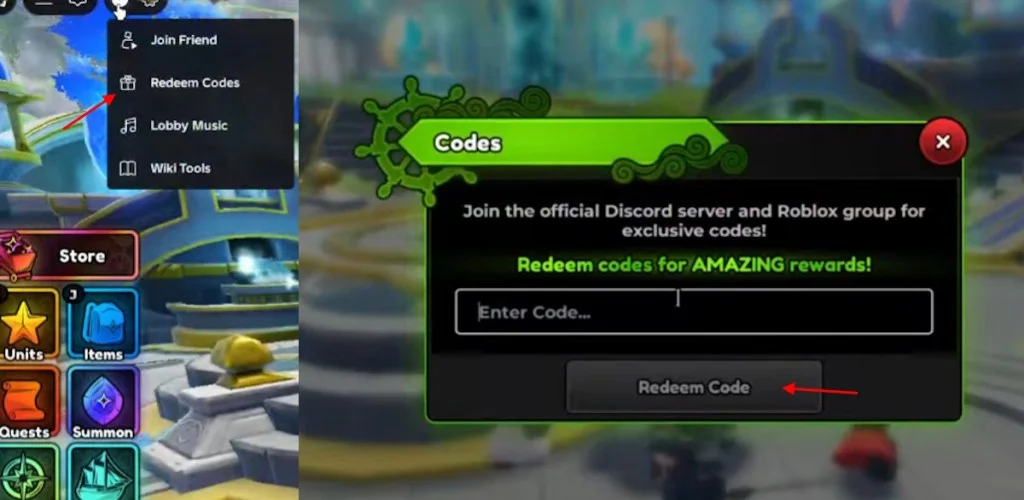
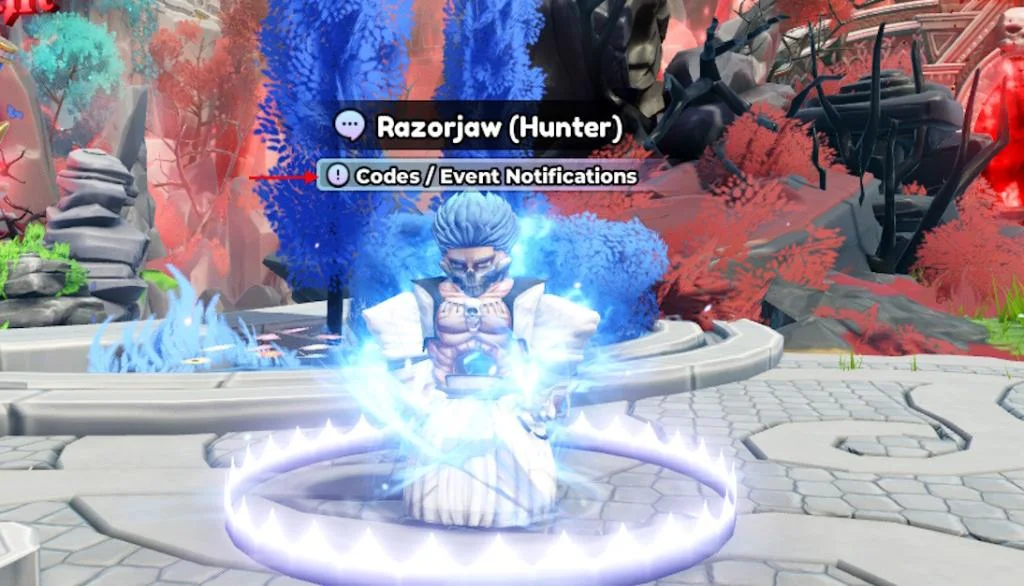
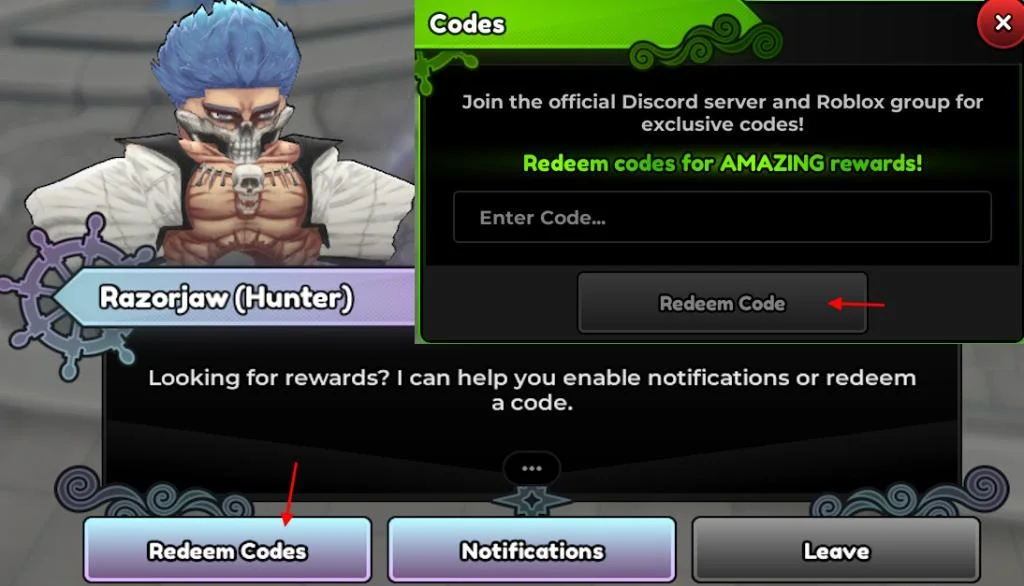
Open Redeem Codes from the three-dot menu, or speak to Razorjaw near spawn. The table distinguishes the sources for each route.
| Route | Where to open it | Status |
|---|---|---|
| Three-dot menu | Top-left menu → Redeem Codes | 2 sources · Beebom + Pocket Tactics |
| Razorjaw NPC | Speak to Razorjaw near spawn → Redeem Codes | 1 source · Beebom |
- Open the game. Launch Anime Expeditions from the Roblox client.
- Open Redeem Codes. Use the three-dot menu at the top left, or talk to the Razorjaw NPC near spawn, and choose Redeem Codes.
- Enter the code. Type the code in the same case as the list and confirm.
When a code is refused
- Check the exact spelling and letter case, including punctuation.
- Compare the code with the expired archive; a published expiry is different from a typo.
- Beebom recommends switching servers or restarting when a code fails on an older server (1 source).
- Pocket Tactics says the listed November codes require no tutorial or group membership. Historical archive rows retain any published level requirement.
The reward list is on November 2026 codes. Copy a string from that page, then follow the illustrated route above.
Questions
Where do you redeem codes?
Both Beebom and Pocket Tactics describe the three-dot menu. Beebom additionally documents the Razorjaw NPC option near spawn.
Do the November codes require joining a group?
Pocket Tactics says joining a group or finishing a tutorial is not required for the listed codes. This requirement statement has one source.
Sources
- Beebom codes — checked 2026-11-03
- Pocket Tactics — checked 2026-11-03
Last checked: 2026-11-03.